

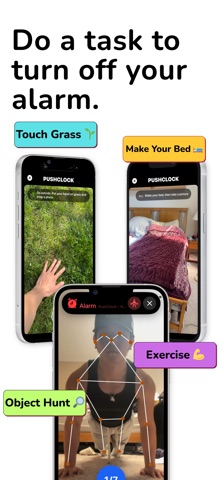
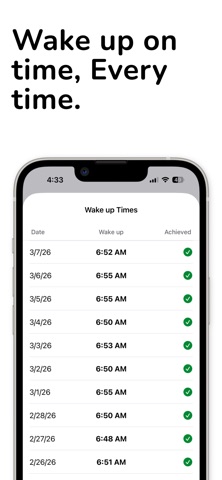


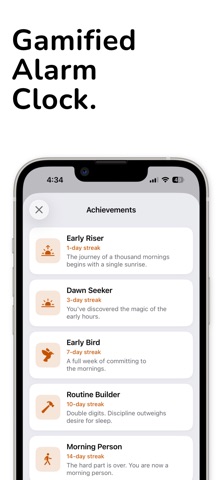
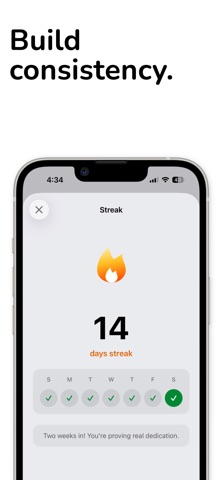
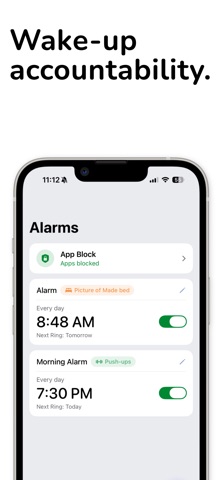
PushClock is the alarm clock that won't let you off easy. Set your alarm. Pick your mission. When it goes off, you have to actually do something to make it stop — and if you ignore it, it comes right back. No snooze. No swipe-and-back-to-sleep. Just you and the proof you're up. 25 WAYS TO WAKE UP Move — the camera counts your reps automatically · Push-ups, squats, sit-ups, jumping jacks, high knees · Plank, squat hold, dance · Steps and shake — no camera needed Prove it — AI checks the photo · Make your bed · Object hunt: find something in your house · Touch grass: actually go outside · Pet hunt, sky photo, or set your own custom target Think · Math problems, memory game · Guess the flag, language quiz · Bible verse, draw a picture For fun · The 67, tongue twisters, recreate a meme STACK THEM Put more than one mission on a single alarm. 10 push-ups, then a math problem, then a photo of your made bed. You decide how hard your morning is. IT DOESN'T GIVE UP Silence it, mute it, swipe it away — it rings again seconds later, and keeps coming back until the mission is done. That's the whole point. LOCK YOUR PHONE UNTIL YOU'RE UP Turn on app blocking and your distracting apps stay shut from bedtime until you finish your mission. No doomscrolling in bed. BUILD THE STREAK Every morning you win counts. Track your streak, unlock achievements, see your wake-up history, and keep the streak on your home screen. SOUNDS THAT ACTUALLY WORK 75 alarm sounds — loud, annoying, cinematic, nature, motivational. Or record your own voice. HOW IT WORKS 1. Set an alarm like normal 2. Choose your mission and difficulty 3. When it fires, complete it to dismiss 4. Alarm off. You're up. Go be a person. WHY PUSHCLOCK Willpower is weakest at 6am. PushClock removes the choice. By the time the alarm is off you're already awake, already moving, and already winning the day before it starts. PushClock requires an active subscription. All features are included. Subscriptions renew automatically unless cancelled at least 24 hours before the end of the current period. Manage or cancel anytime in your Apple ID settings. Terms of Use: https://www.pushclock.com/terms Privacy Policy: https://www.pushclock.com/privacy