

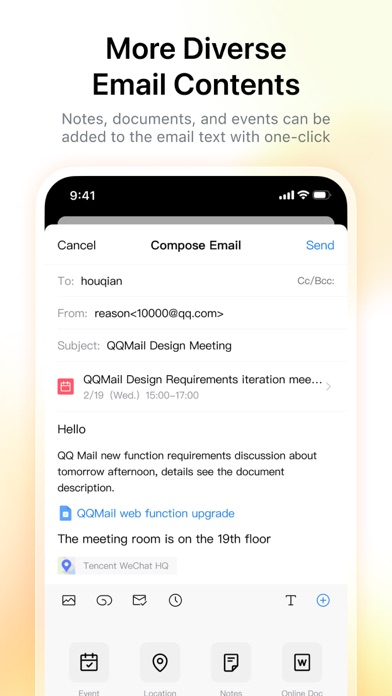


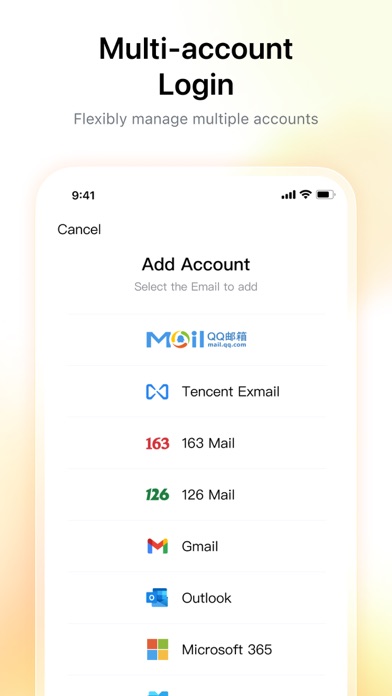
[QQ Mail] Full support for general mail protocols to help you manage all your mailboxes on your phone [New] Send greeting cards on your phone [New] Query mail records in Settings [New] Quick annotation on the screenshot of the mail reading page [New] Efficient and convenient Contacts [New] Translate mails in foreign languages into Chinese Multiple Accounts · Full support for general mail protocols to allow adding a variety of other mailboxes besides QQ Mail Sending/Receiving Mails · Synchronously receive and manage all mails in multiple mailboxes · Added intelligent aggregation of ad mails · QQ Mail subscription aggregation and reading experience optimization · Support online preview of various types of attachments including documents, images, audio and video files, compressed packages, and eml files. Mail Notification · Set to enable notifications only for mails from starred contacts · Set the New Mail Notification option for different email accounts · Added multiple sound effects for New Email Notification · Enable Night Mode to mute the notifications for new mails at night Mailbox Plug-ins · Enable Calendar to manage events efficiently · Use Transfer Station for temporary storage of large files on the network · Enable Notepad to record what you see and think anytime · Manage contacts and find recent conversations in Contacts · Select a greeting card to convey blessings to friends QQ Mail VIP Auto-Renewal Subscription Instructions Subscription Plans: QQ Mail VIP Monthly Auto-Renewal (1 month) QQ Mail VIP Annual Auto-Renewal (12 months) Subscription Price: Monthly auto-renewal: RMB 22/month Annual auto-renewal: RMB 210/year Auto-Renewal: Your Apple iTunes account will be charged within 24 hours before the subscription expires. Once the payment is successful, the subscription will be automatically extended for one billing cycle. Cancel Subscription: If you wish to cancel, you need to do so at least 24 hours before the current billing period ends. You can cancel by going to Settings > Apple ID > Subscriptions, selecting the QQ Mail VIP subscription, and tapping Cancel Subscription. If you do not turn off auto-renewal at least 24 hours before the end of the subscription period, the subscription will renew automatically. Other Purchase Options (non-renewing): QQ Mail VIP 1 month / RMB 29 (does not auto-renew) QQ Mail VIP 12 months / RMB 300 (does not auto-renew) QQ Mail VIP Service Terms: https://wx.mail.qq.com/list/readtemplate?name=app_intro.html#/agreement/mailvip QQ Mail Privacy Policy: https://wx.mail.qq.com/list/readtemplate?name=app_intro.html#/agreement/appPolicy If you have any comments or suggestions, tell us in "Settings" -> "Feedback".